Getting fiber internet installed is a big deal. It means you will get faster speeds, more reliable connections and the ability to fully support everything from remote work to streaming, gaming and smart home devices. Before installation day arrives there are a few simple steps you can take to make sure everything goes smoothly. This way you can get the most out of your fiber internet connection from day one.
At Conexon Connect we want every installation to be seamless. With some preparation you can help your technician complete the job efficiently. This will also help set your home up for the best possible performance.
Understanding what happens during installation
Before diving into preparation, it helps to know what installation typically involves. A technician will bring fiber directly to your home and will connect it to an Optical Network Terminal (ONT). This converts the fiber signal into internet. From there your router distributes the connection throughout your home.
The location of your ONT and router matters more than you think. It can directly impact your Wi-Fi coverage, speed and overall experience. That’s why a bit of planning ahead of time can make a difference.
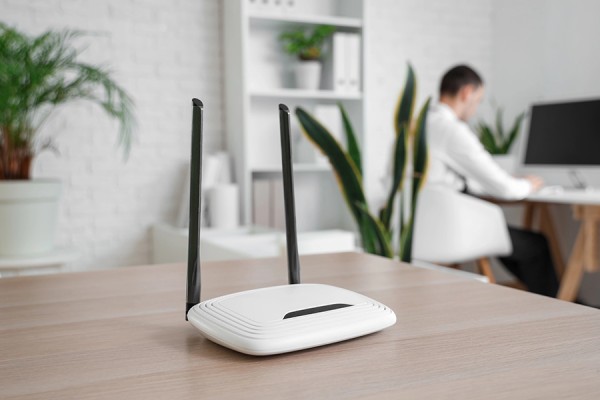
Choosing the location for your router
One of the most important decisions you can make for your home internet is where your router will live. Many people default to placing it wherever it’s most convenient, however that doesn’t always deliver the best performance.
Ideally your router should be placed in a location within your home that helps ensure that the signal reaches all rooms evenly. If your home has multiple floors then placing the router on the main level can significantly improve coverage. For example, avoid placing it in a basement or tucked-away corner otherwise the signal may not be strong enough to reach everywhere in the home.
It’s also important to keep the router out in the open. Placing it inside cabinets behind furniture or in enclosed spaces can weaken the signal. The fewer physical barriers between your router and your devices the better your connection will be.
Minimizing interference for Wi-Fi
Wi-Fi signals can be affected by more than just distance. Everyday household items can interfere with performance in ways that aren’t always obvious. Some things that could disrupt your wi-fi signal are:
- Large appliances
- Walls
- Metal surfaces
- Certain types of insulation
Electronics like microwaves and cordless phones can also cause interference. This is especially true if they’re close to your router.
Before installation take a moment to think about where these potential obstacles exist in your home. Positioning your router away from them can help ensure a more stable connection throughout your space.
Understanding Ethernet vs Wi-Fi
While wi-fi's convenient it isn’t always the best option for every device. Ethernet connections, which use a cable provide the most stable and fastest connection possible.
For desktop computers, gaming colsoles and workstations that that heavily rely on performance, using an Ethernet cable can make a noticeable difference. It reduces latency eliminates interference and ensures that you’re getting the benefit of your fiber connection.
Wi-Fi on the hand is ideal for mobile devices like: phones, tablets, laptops but a combination of both Ethernet and Wi-Fi often delivers the overall setup for a modern home.
If you know you’ll want wired connections in certain rooms, it’s worth planning those locations ahead of time. This way your technician can advise on the setup.

Preparing your home office for fiber
For households, fiber internet is a game-changer for remote work. Think about where you work and whether your current setup supports a strong connection. If your workspace is far from where the router will be placed you may want to consider options like running an ethernet cable or using a Wi-Fi extender.
A connection in your home office means smoother video calls, faster uploads and fewer interruptions during the workday. Taking the time to prepare this space can help you get the most out of your service.
Extending coverage throughout your property
Not every home is a compact space. Larger homes, outbuildings and outdoor areas can all present challenges when it comes to maintaining Wi-Fi coverage.
A detached garage, workshop or even a backyard can lose a signal. it’s worth considering solutions like a wi-fi extender or mesh system. These devices help expand your network’s reach. This ensures performance even at the edges of your property.
Outdoor Wi-Fi can also be useful for security systems and staying connected while spending time outside.
Clearing the way for installation day
On the day of installation, a little preparation can go a long way in helping everything run smoothly. Make sure the areas where equipment will be installed are easily accessible. This may include clearing space near:
- Walls
- Outlets
- Utility entry points
If you have pets it’s also an idea to keep them secured during the appointment. This helps ensure both their safety and the technician’s ability to work efficiently.
Being available to answer questions or make decisions about equipment placement can also help avoid delays. Your technician will be able to provide guidance and having a general idea of your preferences ahead of time makes the process faster and more straightforward.

A little preparation goes a long way
Preparing your home for fiber installation doesn’t require technical expertise. It’s about making the thoughtful decisions ahead of time. This way your connection works how you need it to.
At Conexon Connect we’re here to make the process as easy as possible. From installation to connection our goal is to help you enjoy fast reliable internet from the moment you’re set up.
Getting ready, for installation? Take a few minutes to plan your setup. Get ready to experience the difference fiber can make.
FAQ
1. Where is the best place to put my router?
Your router should be placed in a central, open location to ensure even Wi-Fi coverage throughout your home. Avoid basements, corners, or enclosed spaces like cabinets, as these can weaken the signal. If your home has multiple floors, placing the router on the main level often provides the best overall coverage.
2. What can interfere with my Wi-Fi signal?
Common household items like large appliances, thick walls, metal surfaces, and certain types of insulation can interfere with Wi-Fi signals. Electronics such as microwaves and cordless phones may also cause disruption if placed too close to your router. Positioning your router away from these obstacles can improve performance.
3. Should I use Wi-Fi or Ethernet for my devices?
Wi-Fi is convenient for mobile devices like phones, tablets, and laptops. However, Ethernet connections provide faster, more stable performance and are ideal for devices like desktop computers, gaming consoles, and home office setups. A mix of both typically offers the best experience.